Understanding Network Devices
Lets dive deep into the Devices That Form and Control Networks
Modern Software System require a medium so as to work like API calls , database queries, web request which travel trough a chain of networking devices . Understanding these devices helps us reason about latency, scalability, security and production failure.
Network Devices are physical devices or appliances which are required for communication and interaction computers or computer network systems. This article explains modems, routers, switches, hubs, firewalls and load balancers, how they work individually, and how they fit together in a real-world setup.
High-Level View: How the Internet Reaches a Home or Office
When a user opens a website or calls an API, traffic flows roughly like this:
Internet → Modem → Router → Firewall → Switch → Servers/PC
In cloud environments, some of these devices are physical, while others are virtualized, but the working remain the same.
What Is a Modem?
Primary responsibility:
It connects your home network with the Internet Service Provider (ISP).The modem can perform both the task of modulation and demodulation simultaneously.
What it does:
It converts digital signals (fiber, cable, DSL) into analog signals or vice-versa.
Acts as the entry point to the internet
Modems can modulate as well as demodulate the signals simultaneously.
Modem allows to connect only a specific number of devices to the internet.
Analogy:
The modem is the post office that connects your house to the outside world.
Key point:
A modem does not manage traffic or security. It only brings the internet into your network.
What Is a Router?

A router is a device which connects two or more networks or sub-networks. It serves two primary functions, managing traffic between these networks by forwarding data packets to their intended IP addresses, and allowing multiple devices to use the same Internet connection
There are several types of routers, but most routers pass data between LANs (local area networks) and WANs (wide area networks).
What it does:
Routes traffic between networks (LAN ↔ Internet)
Assigns IP addresses (via DHCP)
Performs Network Address Translation (NAT)
Router vs Modem (Clear Difference):
| Modem | Router |
| Connects to ISP | Connects networks |
| Signal conversion | Traffic direction |
| No routing logic | Routing intelligence |
Analogy:
The router is like a traffic police officer.
Backend relevance:
Routers affect latency, packet loss, and connectivity — all critical for API reliability.
Switch vs Hub: How Local Networks Actually Work
Hub (Mostly Obsolete)
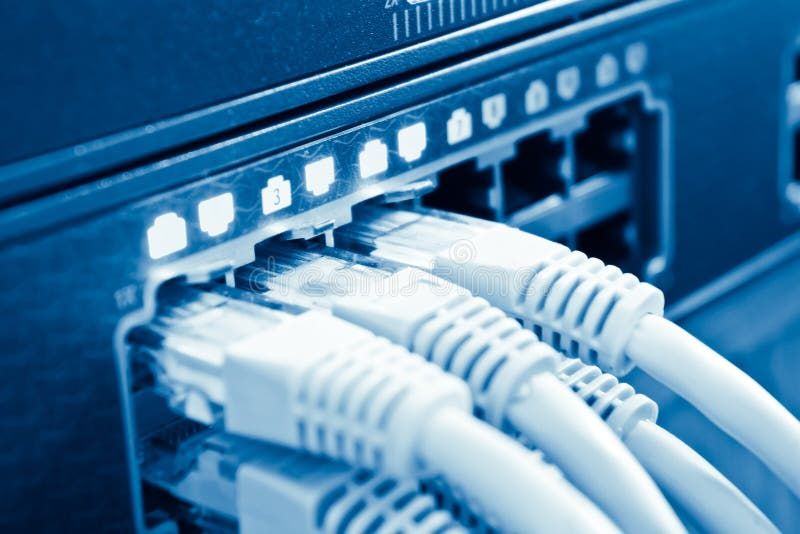
A hub is a physical layer networking device which is used to connect multiple devices in a network. They are generally used to connect computers in a LAN.
Analogy:
Someone shouting a message in a crowded room.
Problems:
Massive collisions
Security risks
Inefficient
Switch (Modern Standard)
The Switch is a network device that is used to segment the networks into different subnetworks called subnets or LAN segments. It is responsible for filtering and forwarding the packets between LAN segments based on MAC address.
What it does:
It operates in the Data Link Layer in the OSI Model.
It performs error checking before forwarding data.
It transfers the data only to the device that has been addressed.
It operates in full duplex mode.
Analogy:
A post office delivering mail to exact addresses.
Switch vs Hub (Clear Difference):
| Hub | Switch |
| Broadcasts to all | Sends to specific device |
| Slow & noisy | Fast & efficient |
| Rarely used | Industry standard |
Backend relevance:
Switches enable low-latency communication between servers in data centers.
What Is a Firewall?
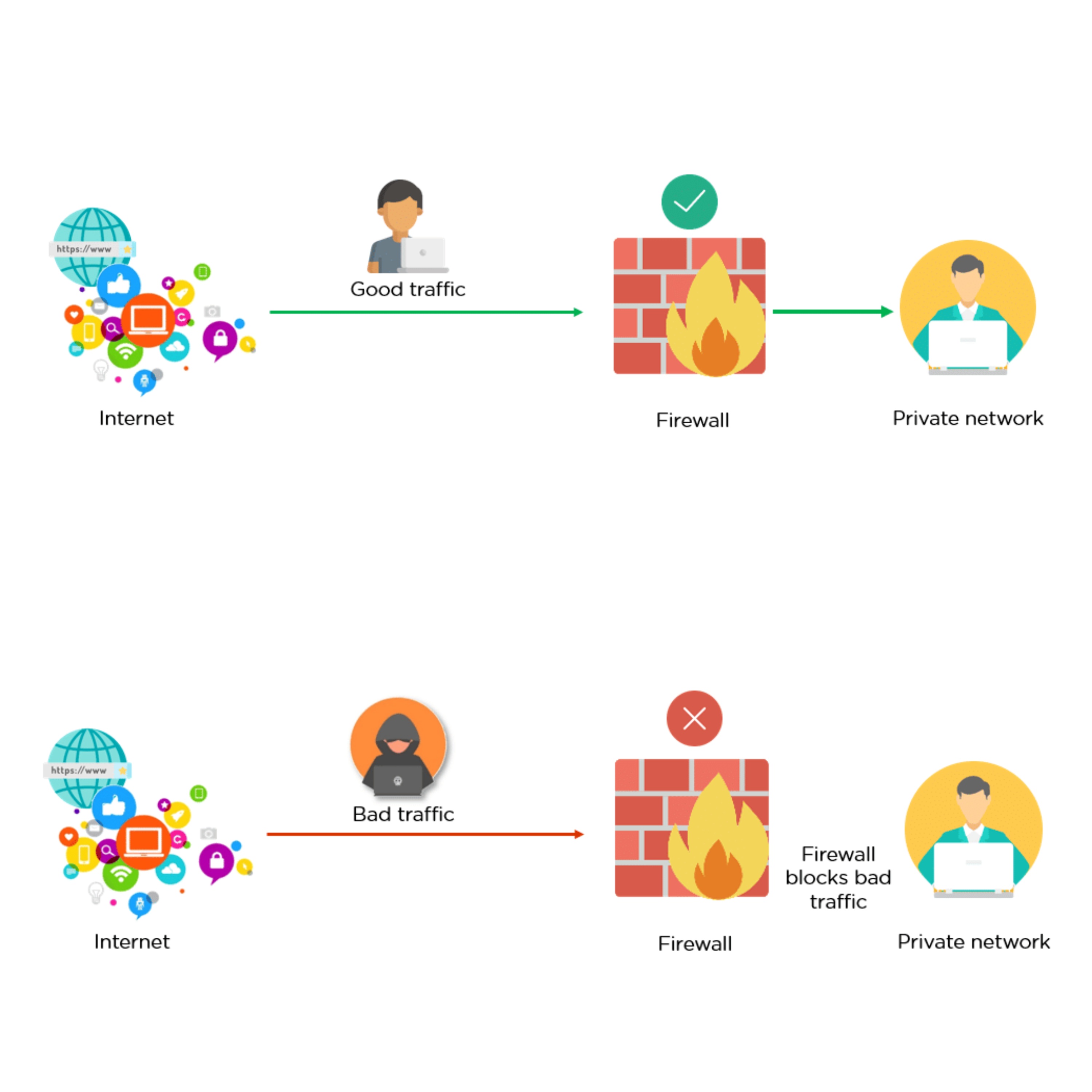
A firewall is a network security system, available as hardware or software, that monitors and controls incoming and outgoing traffic based on predefined rules. It acts like a security guard, filtering data packets to either accept, reject or drop.
What it does:
Filters packets based on rules
Blocks malicious traffic
Enforces security policies
Analogy:
A security gate checking IDs before entry.
Why security lives here:
Prevent Unauthorized Access: Like a locked door with a guard, only trusted users and traffic are allowed through.
Block Malicious Traffic: Harmful data such as viruses, phishing attempts, or denial-of-service (DoS) attacks are stopped before reaching the system.
Protect Sensitive Information: Safeguards personal and business data from theft or accidental leaks.
Control Network Usage: Enforces policies such as parental controls, workplace restrictions, or government filtering.
Mitigate Insider Risks: Detects suspicious applications or data exfiltration attempts from within the network.
Backend relevance:
Firewalls protect APIs, databases, and internal services from direct exposure.
What Is a Load Balancer?
A load balancer is a solution that acts as a traffic proxy and distributes network or application traffic across endpoints on a number of servers. Load balancers are used to distribute capacity during peak traffic times, and to increase reliability of applications.
What it does:
Traffic Distribution: To keep any one server from becoming overburdened, load balancers divide incoming requests evenly among several servers.
Scalability: By making it simple to add servers or resources to meet growing traffic demands, load balancers enable horizontal scaling.
Optimization: Load balancers optimize resource utilization, ensuring efficient use of server capacity and preventing bottlenecks.
Health Monitoring: Load balancers often monitor the health of servers, directing traffic away from servers experiencing issues or downtime.
SSL Termination: Some load balancers can handle SSL/TLS encryption and decryption, offloading this resource-intensive task from servers.
Analogy:
A toll booth system spreading cars across multiple lanes.
Why scalable systems need it:
Load balancers enable:
High availability
Fault tolerance
Zero-downtime deployments
Backend relevance:
Every modern backend (microservices, cloud apps, APIs) relies on load balancers.
How These Devices Work Together (Real-World Setup)
A Production Backend System
Internet
   ↓
ISP Modem
   ↓
Router (NAT, Routing)
   ↓
Firewall (Security Rules)
   ↓
Load Balancer (Traffic Distribution)
   ↓
Switch
   ↓
Backend Servers (APIs, DBs, Services)
Each device has one clear responsibility, reducing complexity and improving reliability.
Connecting This to Backend Systems & Production Deployments
For software engineers:
Latency issues often come from routing or switching problems
Downtime can occur without load balancers
Security breaches often trace back to firewall misconfigurations
Scalability depends on network architecture, not just code
In cloud platforms (AWS, Azure, GCP), these devices are often software-defined, but their behavior mirrors physical hardware.
Final Takeaway
Networking devices are not just infrastructure they are core components of system design.
Understanding how modems, routers, switches, firewalls, and load balancers work together allows backend engineers to:
Design scalable systems
Debug production issues faster
Build more secure applications
Good software architecture starts with solid network foundations.

