Getting Started with HTML Tags and Elements
Exploring tags, elements, and how they work together
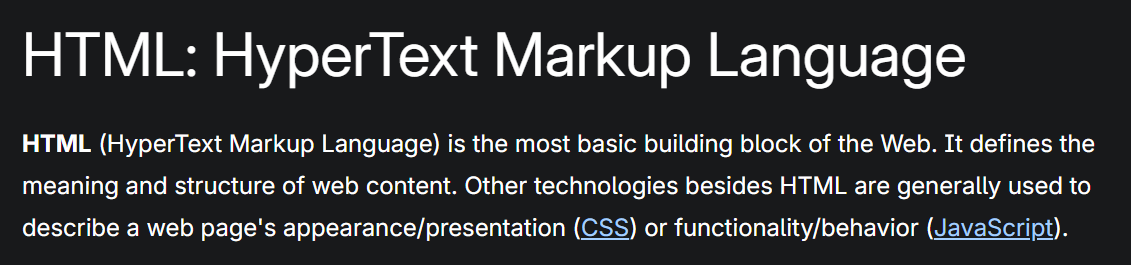
In general term HTML is a language for website creation , and generally referred a the foundation of the web. It is generally used for the creation and structure of sections, paragraphs, and links using HTML elements (the building blocks of a web page) such as tags and attributes.
Before the visuals wow us and the interactions amaze us, every great website starts with a script HTML.
HTML doesn’t make pages pretty, it makes them readable, just like a book’s structure. You are able to read this because of html.
Lets deep dive into and learn what HTML is and how its work.
HTML Document Structure
The above code shows the basic boilerplate code for the HTML.
<!DOCTYPE html> - This declaration notify the browser about the document type and version of HTML used, ensuring proper rendering and preventing potential issues.
<html></html> - This element act as a wrapper holding the entire page and is sometimes known as the base element. It includes the lang attribute, setting the primary language of the document.
<head></head> - This element holds the document’s metadata and configuration data rather than user-facing content. It contains SEO-related information, stylesheet references, character set definitions, and other resources required for proper page rendering.
<meta charset="utf-8"> -This element specifies UTF-8 as the document’s character encoding, enabling broad multilingual character support and reducing the risk of text-rendering problems.
<meta name="viewport" content="width=device-width"> - This viewport element tells the browser to match the page width to the device’s screen width, preventing mobile browsers from displaying the page at a larger width and scaling it down
<title></title> - This sets the title of your page, which is the title that appears in the browser tab the page is loaded in. It is also used to describe the page when you bookmark/favorite it.
<body></body> - This contains all the content that you want to show to web users when they visit your page, whether that's text, images, videos, games, playable audio tracks, or whatever else.
HTML — The Skeleton of a Webpage
Think of a website like a human body:
HTML → Skeleton (structure)
CSS → Skin (style)
JavaScript → Muscles (behavior)
HTML does not make a page beautiful — it gives it structure and meaning.
What is an HTML Tag?
An HTML tag is a keyword enclosed in angle brackets < >.
Example:
<p> This is a paragraph tag </p>
You can think of a tag like a label on a box.
It tells the browser what kind of content is inside.
For example:
<p>→ This is a paragraph<h1>→ This is a main heading<div>→ This is a container<span>→ This is a small inline container
Opening Tag, Closing Tag, and Content
Most HTML tags which we use come in pairs:
<p>This is a paragraph</p>
<p>        → Opening tag
This is a paragraph → Content
</p>       → Closing tag
The closing tag has a forward slash /.
Box Analogy
Think of it like a box:
Opening Tag  →  box with open lids
Content      →  content inside the box
Closing Tag  →  closed box
What is an HTML Element?
An HTML element is everything together:
Opening Tag + Content + Closing Tag
Example:
<h1>Welcome</h1>
Here:
<h1>→ TagWelcome→ Content</h1>→ Closing tagEntire thing → Element
🔎 Difference Between Tag and Element
| Term | Meaning |
| Tag | Just the label (<p>) |
| Element | Full structure (<p>Hello</p>) |
Self-Closing (Void) Elements
Some HTML elements do not need a closing tag.
Example:
<img src="image.jpg">
<br>
<hr>
These are called void elements. Why? Because they do not wrap content.
Examples:
<img> → Displays an image
<br> → Line break
<hr> → Horizontal line
Block-Level vs Inline Elements
Block-Level Elements
A block-level element always starts on a new line, and the browsers automatically add some space (a margin) before and after the element.
Example:
<h1>Heading</h1>
<p>Paragraph text</p>
<div>Container</div>
Visual Idea:
[Heading          ]
[Paragraph        ]
[Another Section  ]
Each appears on a new line.
Inline Elements
Inline elements in HTML are elements that do not start on a new line and only take up as much width as necessary to display their content.
Example:
<span>Hello</span>
<span>World</span>
Visual Idea:
Hello World
Commonly Used HTML Tags (Beginner Level)
Headings
<h1>Main Heading</h1>
<h2>Subheading</h2>
Paragraph
<p>This is a paragraph.</p>
Division (Container)
<div>This is a section</div>
Span (Inline container)
<span>Inline text</span>
Link
<a href="https://example.com">Visit Website</a>
Image
<img src="photo.jpg" alt="My Photo">
Simple Mini Example
<!DOCTYPE html>
<html>
<head>
  <title>My Title</title>         //title of the Webpage
</head>
<body>
  <h1>Welcome</h1>
  <p>This is my first website.</p>
</body>
</html>

